Know what you need
Rosie brings back what an item is, what it needs, and useful details you may not have known, so the right information is there when it matters.
Your world, remembered
Keep everything important at your fingertips. Rosie Vision™’s AI-powered assistant remembers the things you own, warranties, maintenance schedules, receipts, documents, appointments, and more. You can stop worrying about the details and manage life with confidence.


Hold the camera steady to identify an item, then tap the item detail icon to explore


Why Rosie
Rosie connects what you see with what matters about it. The right detail, document, or next step returns when you need it.
Rosie brings back what an item is, what it needs, and useful details you may not have known, so the right information is there when it matters.
Get friendly reminders about maintenance, appointments, documents, and other important actions before they become problems.
Rosie remembers the details that are easy to lose track of, so you can focus on what matters without carrying everything in your head.
Ask in your own words. Rosie uses what she remembers about your world to find the relevant information and help you move forward.
Receipts, documents, model numbers, maintenance history, notes, and personal details stay connected to the things and moments they describe.
Why I use Rosie“I use Rosie Vision™ because, frankly, life happens. I don’t want to forget what I need when I need it. I like when Rosie speaks to me in a friendly tone and reminds me about an action I need to take before it’s too late.”
Meet Rosie
Rosie remembers more than your assets. From everyday conversations and personal preferences to important dates and the things you own, she brings relevant context back when you need it.
“What filter did I need for the kitchen fridge again?”
 Rosie
Your kitchen refrigerator uses the LG LT800P water filter. You replaced it six months ago, so it is due again this week.
One natural question brings the useful parts of your world back into view.
Rosie intelligence
Rosie recognizes what is in front of you, then reconnects it with the details, history, and context that make it useful.
Inside Rosie Vision™


Organize what you own, recognize it through the camera, keep its story together, and ask Rosie whenever any question arises.
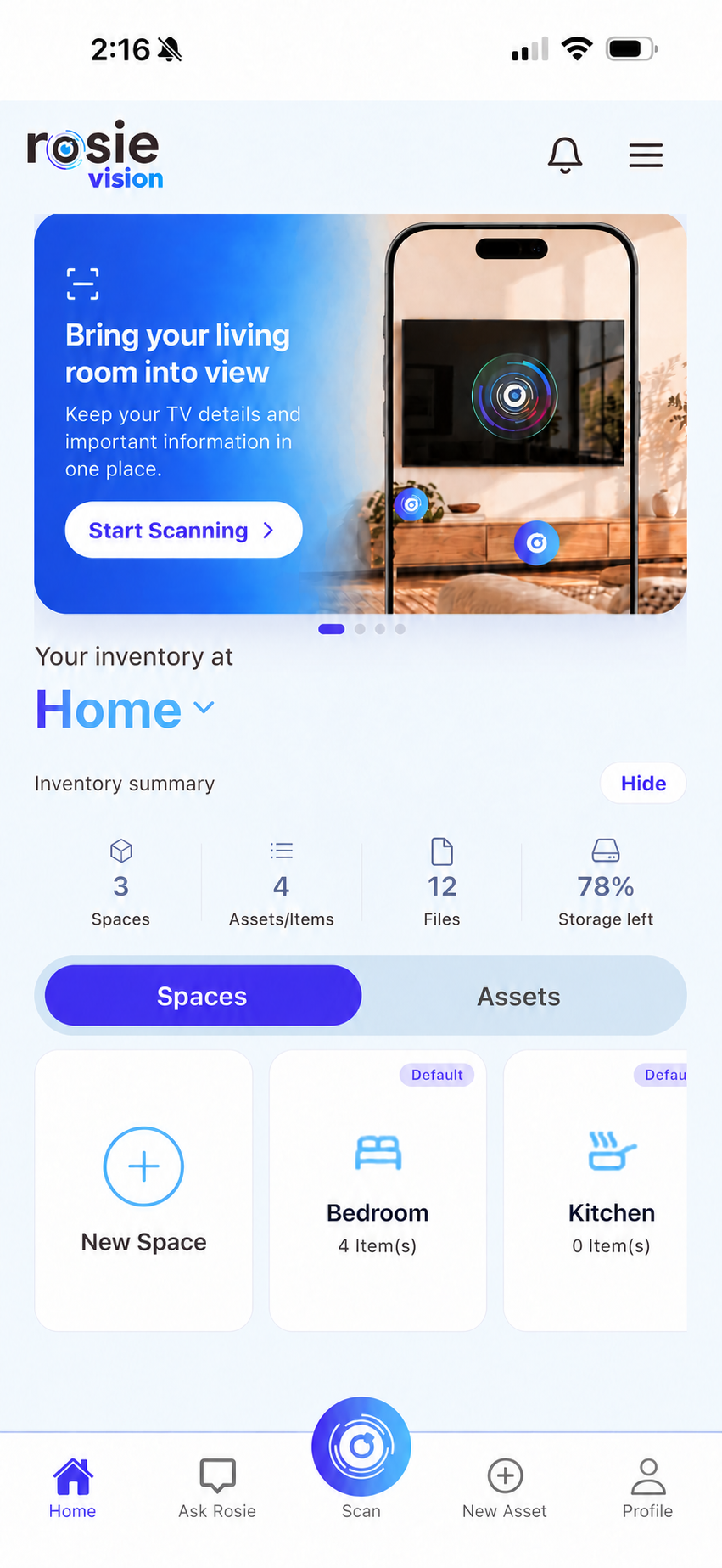
Organize the things you own by space so you always know what you have and where it belongs.
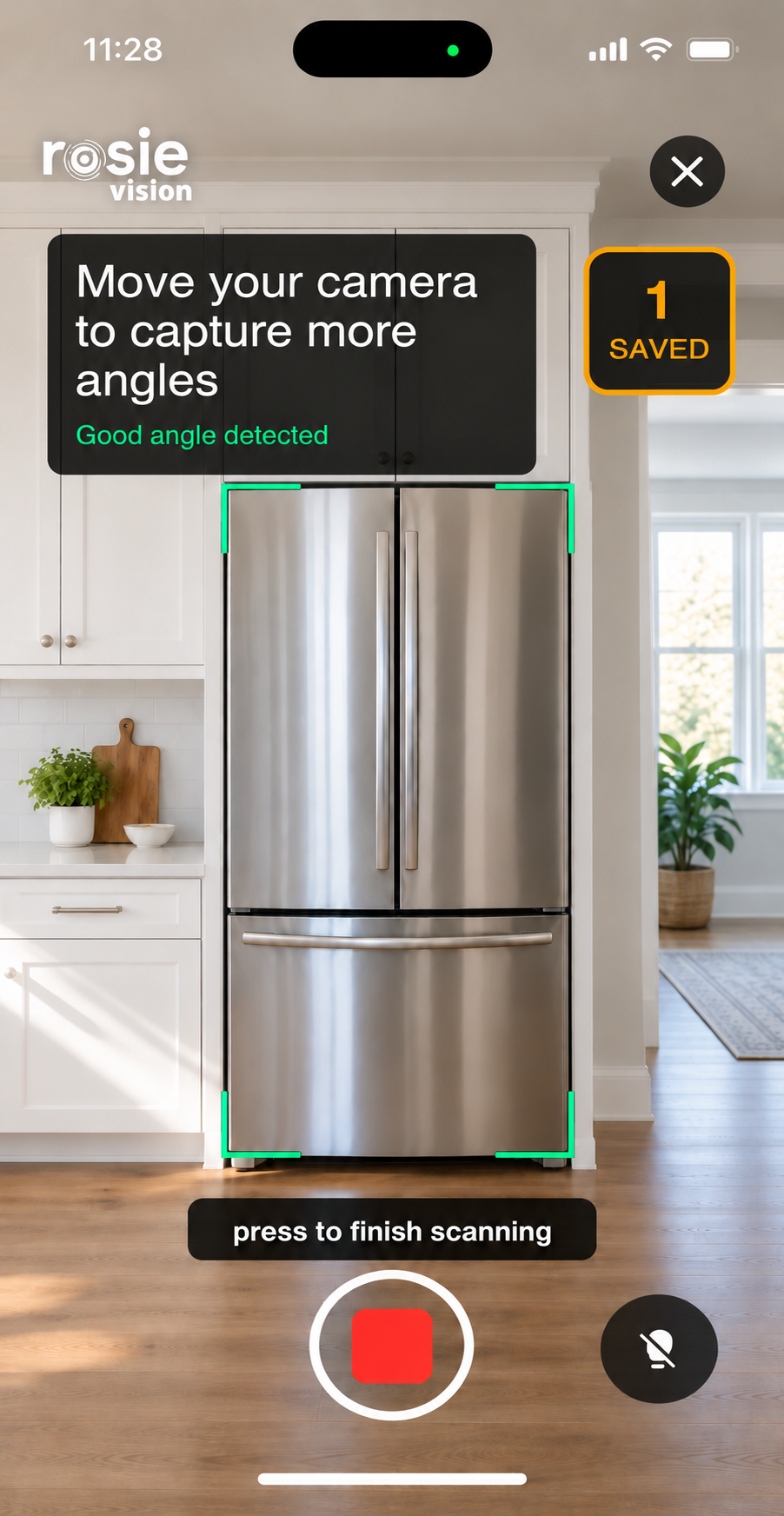
Point your camera at an object instead of digging through folders, forms, or lists.
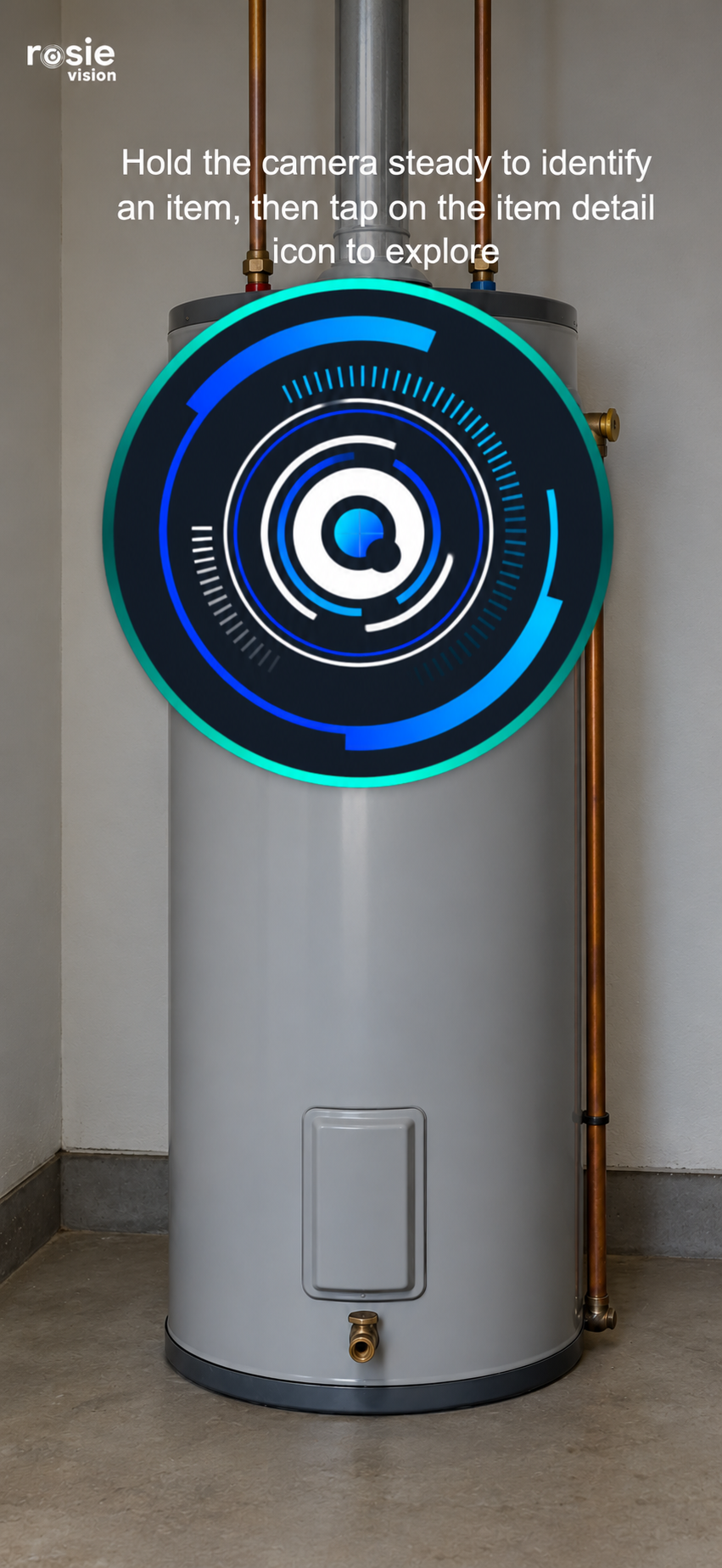
When Rosie recognizes an object, she reconnects it with the information you have already saved.
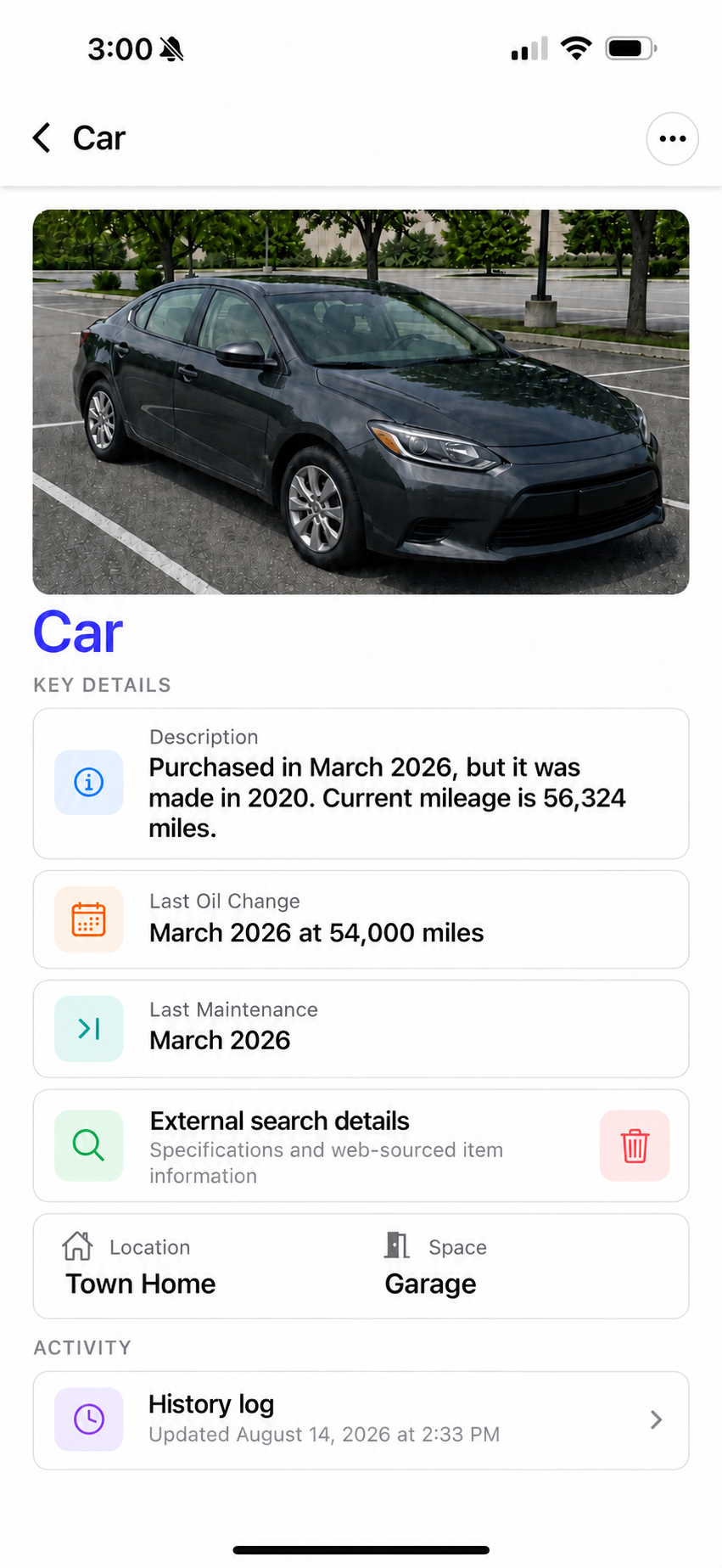
Store its location, documents, purchase details, maintenance history, custom fields, and everything else worth remembering.
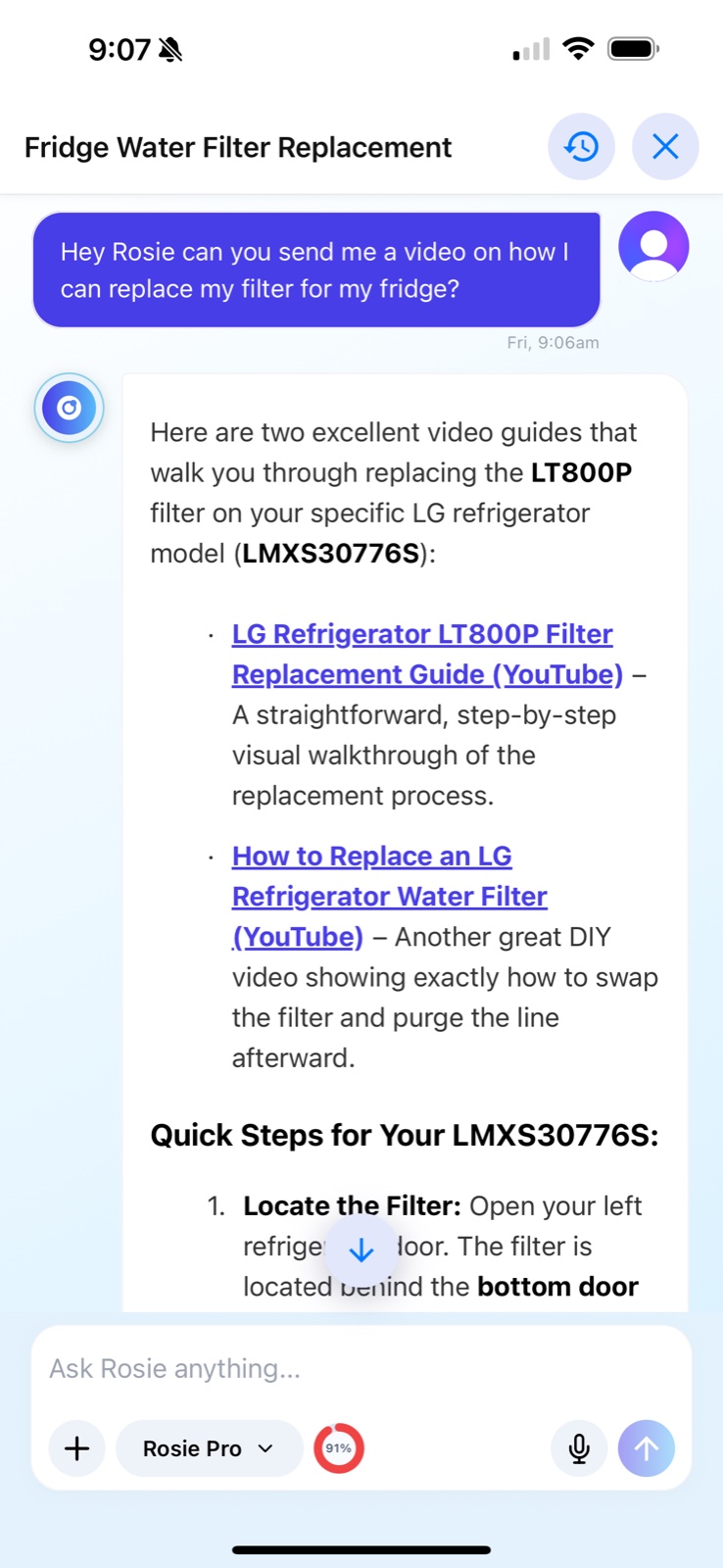
Get an answer using the context Rosie already knows about the specific thing you are asking about.
Your information matters
Security and privacy are priorities in how Rosie Vision™ is built. We use protected account access, authenticated requests, and device secure storage for sensitive session tokens. You also have controls for deleting conversations and requesting deletion of your account and data.
Your information, including chat history, is treated as confidential and connected to your authenticated account.
Sensitive session tokens use the protected secure storage available on your device.
Delete individual conversations or request deletion of your account and its data.
About Rosie Vision™
We’re building a secure environment that helps you understand and manage your world through vision.
Help people spend less energy remembering details and more time living, knowing Rosie can bring the right information back when it matters.
A world where every important object can bring its story, documents, history, and next step back into view.
Rosie Vision™ is building an AI-powered memory layer for the physical world, combining visual recognition with the context people choose to save.
Frequently asked questions
No. Traditional inventory apps begin with lists and forms. Rosie begins with what you can see, then connects the object to its saved details, documents, location, and history.
You can keep its location, receipt, warranty, model and serial numbers, maintenance history, insurance information, notes, and more together with the item. Custom fields are completely flexible, so you can add any detail you want in your own words.
Point your camera at the object and Rosie compares what it sees with the items you have saved. If Rosie recognizes it, she reconnects the object with its existing record. If it is new, Rosie can create the asset instantly and prefill details gathered from the item.
No. You can begin with the camera or ask Rosie in everyday language. The goal is to retrieve the information without requiring a perfect name, category, or keyword.
Rosie can use the details connected to an asset to help surface relevant information, such as maintenance notes, model-specific guidance, or saved documents.
Rosie can help organize appliances, vehicles, tools, equipment, electronics, household items, collections, documents, receipts, and other physical assets.
Rosie Vision™ is being prepared for both iOS and Android. Use the App Store or Google Play buttons in the Home section to check current availability for your device.
Email info@rosievision.ai and the Rosie Vision™ team will help you.
Get in touch
Connect with the right team, whether you’re exploring a partnership or need help with Rosie Vision™.
For partnerships and opportunities to work with Rosie Vision.
Need help with Rosie Vision? Send our support team a request.
Thank you. Your support request has been sent to our team.
Request deletion of your Rosie Vision account and data.
